
Choosing the wrong ERP system can cost your Singapore business hundreds of thousands of dollars and years of lost productivity. Yet many companies rush into decisions without understanding the common traps that derail successful implementations.
Singapore companies frequently make seven critical ERP software selection mistakes that lead to failed implementations and budget overruns. These include skipping proper needs analysis, choosing based solely on price, ignoring change management requirements, underestimating implementation timelines, neglecting vendor support quality, overlooking integration capabilities, and failing to involve end users early. Understanding these pitfalls helps businesses make informed decisions and achieve successful ERP deployments.
Starting Without a Clear Requirements Map
Many Singapore businesses jump straight into vendor demos without documenting what they actually need.
This approach wastes time and money.
You end up impressed by flashy features you’ll never use while missing critical functionality your team needs daily. A manufacturing company in Jurong recently spent six months evaluating systems before realising none supported their specific compliance requirements for pharmaceutical production.
Start by mapping your current processes. Document pain points. List must-have features versus nice-to-haves.
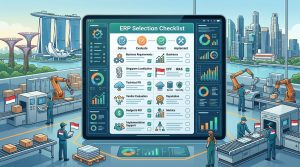
Create a requirements checklist that includes:
- Core business processes the system must support
- Industry-specific compliance needs
- Integration requirements with existing software
- Reporting and analytics capabilities
- Mobile access requirements for field teams
- User capacity and concurrent user needs
“Companies that spend adequate time on requirements gathering are three times more likely to complete their ERP implementation on time and within budget.” — Industry research from Singapore Management University
Your requirements document becomes your North Star throughout the selection process. Every vendor pitch, every demo, every proposal gets measured against this baseline.
Letting Price Drive the Decision
Choosing the cheapest option rarely saves money in the long run.
A logistics company in Tuas learned this the hard way. They selected an ERP system that cost 40% less than competitors. Within eight months, they discovered it couldn’t handle their multi-warehouse operations. The replacement project cost double the original budget.
Low initial pricing often hides expensive surprises:
- Per-user fees that escalate as you grow
- Mandatory annual maintenance contracts with steep increases
- Extra charges for basic reporting tools
- Implementation costs that dwarf the licence fees
- Customisation expenses for missing features
Understanding the true cost means looking beyond the sticker price. Calculate total cost of ownership over five years, including implementation, training, maintenance, and upgrades.
| Cost Component | Often Overlooked | Typical % of Total |
|---|---|---|
| Software licences | No | 20-30% |
| Implementation services | Sometimes | 30-40% |
| Data migration | Yes | 10-15% |
| Training and change management | Yes | 10-15% |
| Ongoing support and maintenance | Sometimes | 15-20% |
| Customisation and integration | Yes | 10-20% |
The most expensive ERP isn’t always the best. But the cheapest is almost never the right choice.
Ignoring Change Management from Day One
Technical implementation is only half the battle.
Your ERP project will fail if your people don’t adopt it. Yet most companies treat change management as an afterthought, something to address after the software is installed.
A retail chain with 15 outlets across Singapore invested heavily in a modern ERP system. Six months post-launch, staff were still using spreadsheets and manual workarounds. Why? Nobody prepared them for the transition. Nobody addressed their concerns. Nobody showed them how the new system made their jobs easier.
Successful change management starts during vendor selection:
- Include end users in demo sessions and vendor meetings
- Form a cross-functional steering committee with representatives from all departments
- Identify change champions in each team who will advocate for the new system
- Budget specifically for training and communication programmes
- Plan for ongoing support after go-live, not just initial training
People resist change when they feel it’s being done to them rather than with them. Involve your team early. Listen to their concerns. Address their questions honestly.
Staff who participate in the selection process become advocates during implementation. They feel ownership. They help colleagues adapt. They spot problems early.
Underestimating Implementation Timelines
Every vendor will tell you their system can be live in three months.
Most Singapore SMEs take 9 to 18 months for a proper implementation. Larger enterprises often need two years or more.
The gap between vendor promises and reality causes serious problems. You might schedule the go-live during your peak season. You might lose key staff who move on before completion. You might run out of budget because the project drags on.
Timeline inflation happens because of:
- Data cleanup taking longer than expected (your existing data is messier than you think)
- Scope creep as departments request additional features
- Integration challenges with legacy systems
- Testing cycles revealing issues that need fixing
- Training requirements for staff across multiple shifts or locations
- Parallel running periods to ensure accuracy
Add buffer time to every vendor estimate. If they say six months, plan for nine. If they say one year, budget for 18 months.
Building in contingency time doesn’t mean you’re planning to fail. You’re planning to succeed without panic when inevitable delays occur.
Overlooking Vendor Support Quality
The sale ends. The relationship begins.
Your ERP system will need support for years. Updates will require assistance. Users will encounter issues. Processes will need adjustment as your business evolves.
A food distribution company in Woodlands chose an international vendor with impressive credentials but minimal Singapore presence. When critical issues arose during month-end closing, they waited 48 hours for responses because support operated from a different time zone. The delays cost them dearly.
Evaluate vendor support before signing:
- Response time guarantees for critical issues
- Local support team availability and expertise
- Support hours that match your business operations
- Escalation procedures for urgent problems
- User community size and activity level
- Update frequency and deployment process
- Training resources and documentation quality
Ask for references from Singapore companies in your industry. Contact them directly. Ask about their support experiences, not just implementation success.
Test vendor responsiveness during the sales process. How fast do they answer questions? How thoroughly do they address concerns? Their behaviour before the sale predicts their behaviour after.
Neglecting Integration Capabilities
Your ERP doesn’t exist in isolation.
It needs to talk to your e-commerce platform. Your payment gateway. Your logistics partners. Your accounting software. Your customer relationship management system. Your point-of-sale terminals.
Poor integration creates data silos. Staff waste time on manual data entry. Errors multiply. Reports become unreliable because information lives in disconnected systems.
A construction firm in Sengkang selected an ERP that couldn’t integrate with their project management software. Site managers kept using the old system. The finance team used the new ERP. Nobody had a complete picture of project costs and progress.
| Integration Type | Why It Matters | Questions to Ask |
|---|---|---|
| Accounting software | Financial accuracy and compliance | Does it support IRAS-approved formats? |
| E-commerce platforms | Real-time inventory and order management | How often does data sync? |
| Banking systems | Payment processing and reconciliation | Which Singapore banks are supported? |
| Logistics providers | Shipment tracking and delivery updates | Can it connect to SingPost, DHL, FedEx APIs? |
| CRM systems | Customer data consistency | Is the integration bidirectional? |
Request technical documentation about integration capabilities. Ask about API availability. Understand data sync frequency. Confirm whether integrations are included or cost extra.
Pre-built integrations save months of custom development work. If the ERP doesn’t offer native connections to your critical systems, factor in development costs and timeline extensions.
Excluding End Users from the Process
IT managers and executives shouldn’t choose ERP systems alone.
The people who use the system daily know what works and what doesn’t. They understand workflow bottlenecks. They spot missing features that seem minor but cause major productivity issues.
A wholesale distributor made this mistake. Senior management selected an ERP based on impressive financial reporting features. Warehouse staff found the inventory management module clunky and slow. Picking accuracy dropped. Order fulfilment times increased. Customer complaints spiked.
Involve end users throughout the selection process:
- Include representatives from each department in requirements gathering
- Have actual users attend vendor demos, not just managers
- Let staff test systems during trial periods
- Gather feedback through surveys and focus groups
- Address concerns before making the final decision
- Appoint user representatives to the implementation team
Users spot practical problems that managers miss. They know which daily tasks take too long. They understand seasonal workflow variations. They recognise when a vendor’s demo scenario doesn’t match real operations.
Their buy-in during selection translates to enthusiasm during implementation. Their resistance during selection signals problems you need to address before committing.
Making Your ERP Selection Work
Avoiding these seven ERP software selection mistakes doesn’t guarantee success, but it dramatically improves your odds.
Singapore companies that take time for thorough requirements analysis, involve end users early, evaluate total cost of ownership, plan for change management, set realistic timelines, verify support quality, and confirm integration capabilities end up with systems that actually improve their operations.
Your ERP selection shapes your business operations for the next decade. Rush the decision and you’ll spend years managing workarounds and fighting limitations. Take the time to get it right, and you’ll build a foundation for sustainable growth.
Start with your requirements document today. Involve your team. Ask tough questions. And remember that the best ERP system isn’t the one with the most features or the lowest price. It’s the one that fits your specific business needs and comes with a vendor who’ll support your success for years to come.